Seedream AI Image Generator
Generate crisp 2K and 4K visuals, readable poster typography, and photo-based edits online with Seedream 5.0 and 5 Pro. Sign up or check in daily for free trial credits — configure prompts, aspect ratios, and reference photos in one workspace.
"QUOTES" for sharp typography.0 / 20,000- Seedream 5.0
- Seedream 5 Pro
- 2K/4K Output
- 8 Aspect Ratios
Free trial credits on sign-up & daily check-in · Independent AI workspace powered by official API providers, not affiliated with ByteDance.
What You Can Create with Seedream AI: Sample Prompts & Outputs
Browse four practical creative workflows built around the strengths of Seedream — each paired with a copy-ready prompt and exact mode settings you can test right away in the generator above.

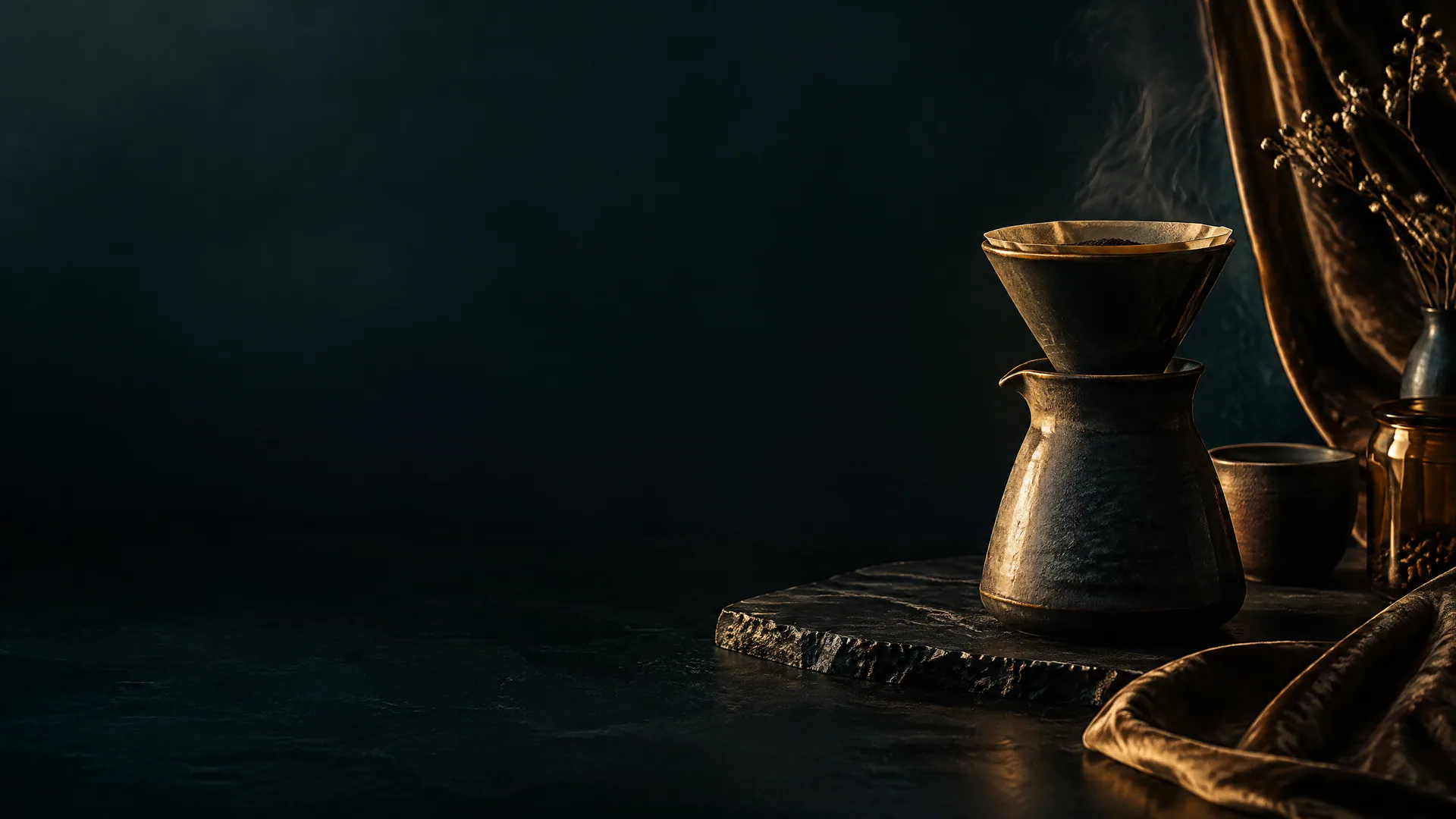
Commercial Poster Design with Bilingual Typography
For brand marketers, event promoters, and campaign designers who need clean display type baked straight into the artwork. Instead of pasting flat text boxes over stock photos, Seedream composes lighting, depth, and multi-line headlines together so English slogans and East Asian characters sit naturally inside the layout.
Editorial coffee festival poster, overhead shot of a stoneware pour-over carafe with rising steam on dark slate, bold cream serif headline at top reading "AUTUMN ROAST FEST" and smaller subtitle "TOKYO · OCTOBER 18", warm rim lighting, crisp print grain, 3:4 vertical poster layout.Recommended mode: Seedream 5 Pro · Text-to-Image · 3:4 · 2K
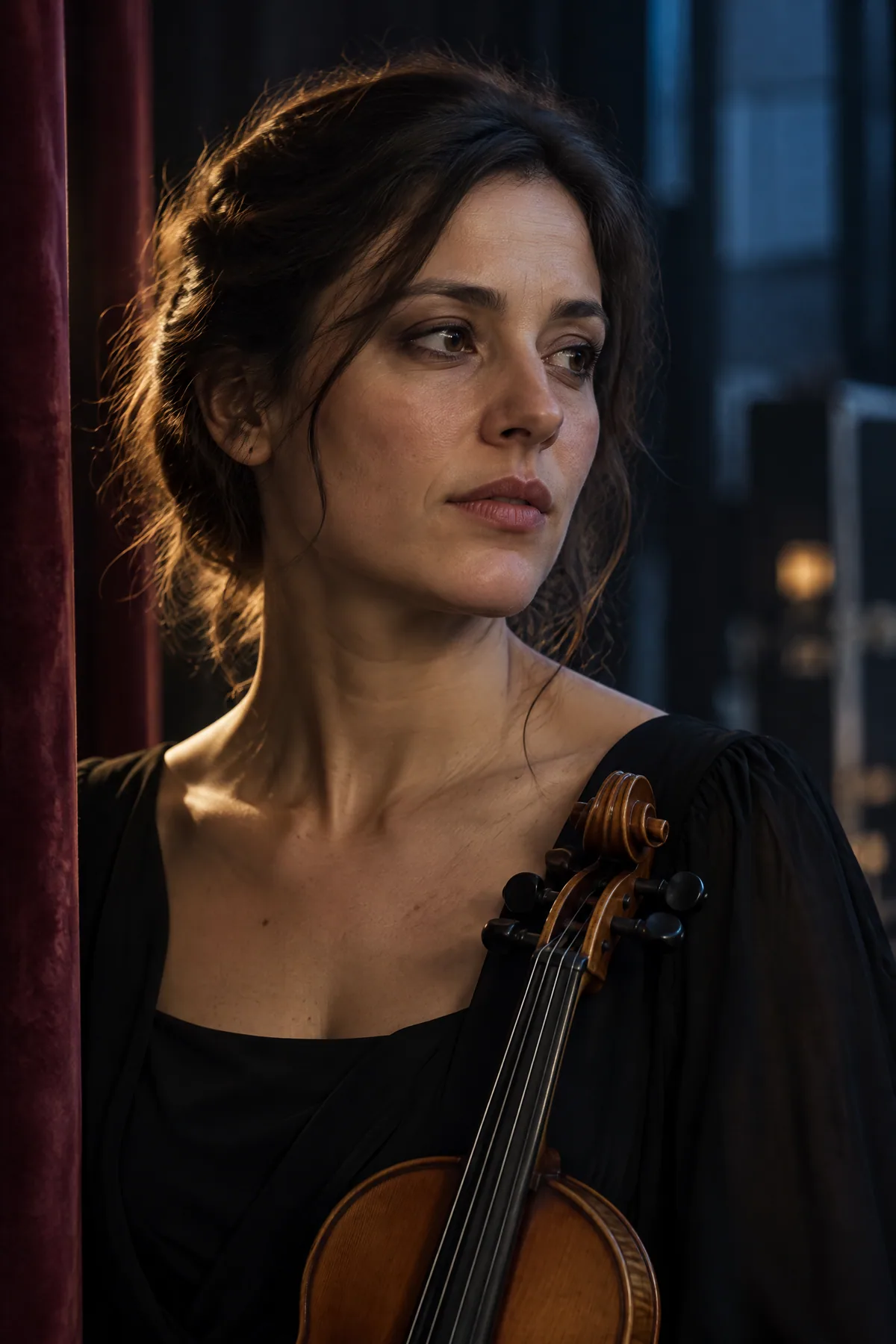
Cinematic Portraits with Natural Skin Texture
For creative directors, filmmakers, and storyboard artists who want lifelike lighting without plastic over-smoothing. Seedream balances key light, soft fill, shadow roll-off, and fabric detail so close-up character portraits read like medium-format studio photography rather than synthetic renders.
Close-up editorial portrait of a violinist backstage beside a velvet curtain, tungsten side key light and cool blue window fill, natural skin pores, stray hair strands catching rim light, 85mm prime lens shallow depth of field, 2:3 vertical frame.Recommended mode: Seedream 5.0 · Text-to-Image · 2:3 · 4K

Studio Product Photography from a Reference Shot
For Shopify merchants, Amazon sellers, and DTC brands turning plain phone snapshots into clean catalog visuals. Upload up to five reference photos of your bottle, box, or accessory and let Seedream rebuild the studio backdrop while keeping your physical item recognizable.
Keep the uploaded amber glass serum dropper bottle centered on wet travertine stone, add soft morning window shadows through eucalyptus leaves, clean reflection on stone surface, luxury skincare studio photography, 1:1 square.Recommended mode: Seedream 5.0 · Image-to-Image (1–5 reference photos) · 1:1 · 4K
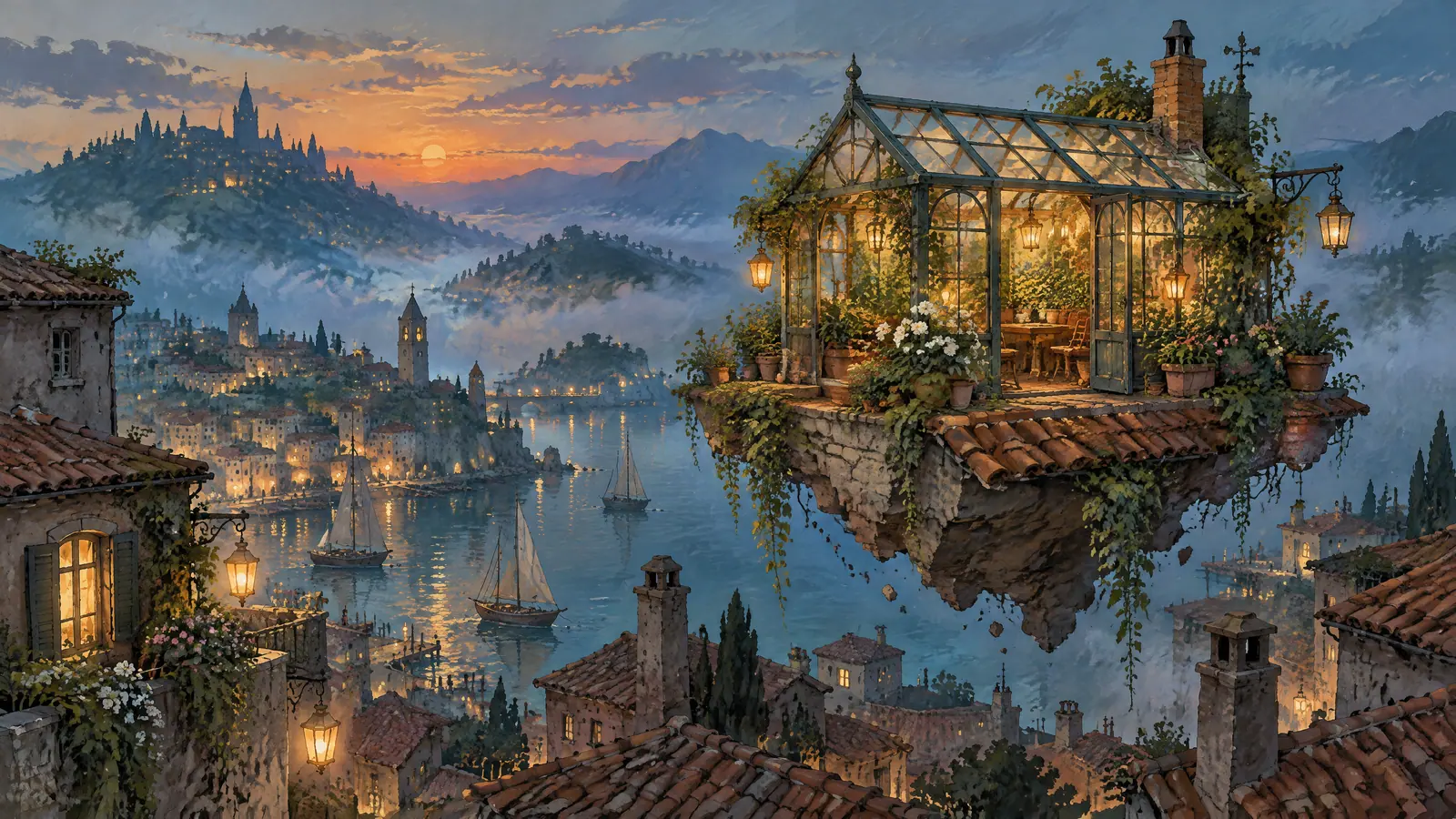
Stylized Concept Art and Widescreen Key Visuals
For illustrators, indie game teams, newsletter writers, and video creators building rich atmospheric scenes. Anchor an illustration style at the start of your Seedream prompt — cel-shaded anime, gouache storybook, or matte sci-fi painting — and pair widescreen frames with our AI Thumbnail Generator when you need bold video cover titles.
Hand-painted gouache and ink illustration of a floating rooftop greenhouse above a misty harbor town at dusk, warm lantern glow inside glass panels, painterly brushwork, rich teal and amber palette, 16:9 widescreen concept art.Recommended mode: Seedream 5 Pro · Text-to-Image · 16:9 · 2K
How to Generate and Edit Images with Seedream Online
Go from a plain-English idea or a rough reference photo to a high-resolution Seedream export in three steps inside your browser — no local GPU setup or API key configuration needed.
Enter Your Prompt or Upload Reference Photos
Type what you want to see in the prompt box above, up to 20,000 characters. Put any exact headline or label text inside quotation marks so Seedream renders the characters accurately, or click Add media to upload up to 5 reference images (up to 10 MB each) for image-to-image editing.
Pick 5.0 or 5 Pro, Aspect Ratio, and Resolution
Keep the default Seedream 5.0 tier for fast 2K or 4K renders, or switch to the 5 Pro tier for complex multi-element layouts in 1K or 2K. Choose from eight native aspect ratios: 1:1, 4:3, 3:4, 16:9, 9:16, 2:3, 3:2, or ultrawide 21:9.
Generate Your Visual and Iterate on Details
Click Generate and sign in with Google or email to apply your free welcome or daily check-in credits. Download your finished Seedream image, or drop it back into the uploader — or open the full AI Image Generator workspace — to refine lighting, colors, or background details.
Key Capabilities of the Seedream AI Model Family
Built by ByteDance's Seed research group, Seedream unifies text-to-image generation and reference-guided editing in one multimodal architecture focused on practical design control.
Accurate Poster Headlines and Multilingual Text
Earlier diffusion models frequently garbled letters on signs, book covers, and packaging. Seedream renders quoted headlines, badges, and structured typography cleanly across English, Chinese, Japanese, Korean, and other major scripts, cutting down manual retouching in external design tools.
Unified Text-to-Image and Multi-Photo Editing
You do not need a separate photo editor to revise a composition. Upload one to five reference images into Seedream and describe the exact modification in plain English — swap a studio backdrop, shift daylight to neon night lighting, or restyle wardrobe while keeping the core subject intact.
Native 2K to 4K Detail Across Eight Aspect Ratios
Compose directly for your target placement instead of cropping a square render afterward. From vertical 9:16 mobile stories and 2:3 print posters to 16:9 widescreen banners and 21:9 cinematic frames, Seedream 5.0 outputs crisp 2K and 4K resolution natively.
Seedream 5.0, Seedream 5 Pro, and Seedream 5.5 Explained
This evergreen /seedream-ai workspace tracks the active Seedream model lineup transparently so you always know which version runs your prompt today and what newer releases introduce.
Seedream 5.0 (Lite) — Live Default for Fast 2K & 4K Creation
Selected by default in the workspace above (seedream/5-lite-text-to-image and image-to-image), Seedream 5.0 is built for everyday creative speed and high pixel density. It supports both 2K and 4K output across all eight aspect ratios, making it ideal for portraits, lifestyle product shots, and rapid concept iteration.
Seedream 5 Pro — Live Tier for Spatial Grounding & Dense Layouts
Available one click away in the model menu (seedream/5-pro-text-to-image and image-to-image), Seedream 5 Pro prioritizes deeper layout reasoning, spatial positioning, and small-font clarity at 1K and 2K resolution. Pick the Pro tier when your prompt combines multiple subjects, structured infographics, or multi-line poster copy.
Seedream 5.5 — Multi-Turn Editing & Native RGBA Roadmap
ByteDance's Seedream 5.5 update focuses on pixel-preserving edits across dozens of consecutive rounds, native RGBA alpha transparency for clean cutouts, and multi-image blending. We never mislabel 5.0 endpoints as 5.5: our workspace runs verified 5.0 and 5 Pro models today and will add the Seedream 5.5 AI image generator option as soon as official KIE API access opens.
Seedream vs GPT Image 2 and Nano Banana Pro: Which Model Fits Your Task?
Because our AI Graphic Generator workspace connects multiple flagship image models under one account, you can compare Seedream against other engines per task instead of paying for separate subscriptions.
Seedream 5.0 vs 5 Pro
Use Seedream 5.0 when you want native 4K sharpness, fast variations, or straightforward photo restyling. Step up to the 5 Pro tier when spatial relationships matter — such as placing a specific headline at the top, a product in the center, and secondary callouts along the bottom without overlapping elements.
Seedream vs GPT Image 2
Seedream shines on editorial lighting, commercial product aesthetics, bilingual poster typography, and flexible ratios like 2:3 and 21:9. Switch to OpenAI's GPT Image 2 (or browse our GPT Image 2 Prompt gallery) when your prompt calls for SaaS UI mockups, dense English diagrams, or conversational layout edits.
Seedream vs Nano Banana Pro
Seedream delivers richer photographic contrast, natural skin and fabric textures, and 4K output on the 5.0 tier. Switch to Google's Nano Banana Pro in the same model dropdown when your main requirement is locking a specific character's face and outfit consistently across a multi-panel sequence.
Why Run Seedream AI on GenImageAI
Skip region-locked apps and developer cloud consoles — run verified Seedream endpoints in a clean browser studio built for daily design production.
Both 5.0 Lite and 5 Pro in One Selector
Switch between fast 4K generation on Seedream 5.0 and high-precision layout control on 5 Pro inside the same prompt bar, with zero API setup.
Multi-Image Reference Uploads Included
Drop up to five reference images (up to 10 MB per file) into the Seedream composer to guide composition, product shape, lighting mood, or visual style.
Eight Aspect Ratios Ready for Any Channel
Generate natively in 1:1, 4:3, 3:4, 16:9, 9:16, 2:3, 3:2, and cinematic 21:9 so posters, social stories, storefronts, and widescreen headers fit on the first render.
Eight-Plus Image Models Under One Balance
Compare your prompt across Seedream, GPT Image 2, Nano Banana 2 and Pro, Grok Imagine, and Z-Image without juggling multiple subscriptions.
Free Sign-Up and Daily Check-In Credits
Test Seedream prompts with free welcome credits on registration and free daily check-in credits, then top up flexible packs on Pricing whenever volume grows.
Long-Form 20,000-Character Prompt Support
Paste complete art-direction briefs — camera lens notes, color palettes, lighting setups, and quoted display copy — without hitting tight character caps.
Frequently Asked Questions About Seedream AI
Direct answers to common questions about Seedream versions, free trial credits, photo editing, and how this independent workspace operates.
What is Seedream AI, and is this an official ByteDance website?
Seedream is a multimodal text-to-image and image-editing model family developed by ByteDance's Seed research team. GenImageAI (genimageai.app) is an independent AI image workspace powered by official API providers — we are not affiliated with, sponsored by, or endorsed by ByteDance.
Is the Seedream AI image generator free to try?
Yes — new users get free trial credits upon signing up with Google or email, plus free daily check-in credits with no credit card required. Every Seedream generation uses credits depending on the model tier and resolution chosen, and optional credit packs are available on our Pricing page.
What is the difference between Seedream 5.0 and 5 Pro?
Seedream 5.0 (5-lite) prioritizes generation speed and higher pixel output, supporting 2K and 4K resolutions across eight aspect ratios. The 5 Pro tier (1K and 2K) adds stronger spatial grounding, layout reasoning, and small-text accuracy for complex posters, infographics, and multi-subject compositions.
Can I use Seedream 5.5 in the generator right now?
Not yet in the live model picker — the workspace above currently runs verified 5.0 and 5 Pro endpoints, and we never mislabel 5.0 as 5.5. ByteDance's Seedream 5.5 introduces pixel-consistent multi-turn editing and native RGBA transparency, and we will enable it on /seedream-ai once upstream API endpoints open.
Are Seedream and Seedance the same AI model?
No — while both come from ByteDance's Seed research team, they serve different media formats. Seedream is built specifically for still image generation, poster typography, and photo editing, whereas Seedance is ByteDance's separate text-to-video and image-to-video model family.
How do I edit an existing photo with Seedream?
Click Add media in the generator above, upload between one and five reference photos (each 10 MB or smaller), and write a prompt describing what to change — such as replacing the background, shifting lighting, or restyling materials. Seedream automatically routes uploaded photos through its image-to-image pipeline.
What aspect ratios and output resolutions are supported?
Both the 5.0 and 5 Pro tiers of Seedream support eight aspect ratios: 1:1, 4:3, 3:4, 16:9, 9:16, 2:3, 3:2, and 21:9. For output resolution, the 5.0 tier exports in 2K and 4K, while 5 Pro exports in 1K and 2K.
Is Seedream open source, or can I run it in my browser?
No — ByteDance releases the Seedream series as proprietary models rather than open-weight downloads. Instead of provisioning cloud GPUs or managing developer API keys, you can run both 5.0 and 5 Pro directly in your web browser here on GenImageAI.
Explore More AI Image & Graphic Tools
Continue your workflow with specialized visual generators and prompt resources across GenImageAI:
Multi-Model Graphic Design Studio
Open our AI Graphic Generator to create marketing graphics, social visuals, and readable typography across multiple flagship models.
Full-Screen Image Creation & Photo Editing
Launch the AI Image Generator for dedicated text-to-image and reference photo editing with side-by-side model controls.
Structured Layout & Typography Prompts
Browse the GPT Image 2 Prompt library for copy-ready prompt templates covering UI mockups, posters, and clean text inside images.
High-Contrast Video Cover Maker
Use our AI Thumbnail Generator to design 16:9 YouTube and video thumbnails with bold, legible headline hooks.
Print-Ready Apparel & Merch Concepts
Try the AI T-Shirt Design Generator to create graphic tee artwork, typography slogans, and print-on-demand illustrations online.
Start Creating with Seedream AI Online
Type a prompt or upload a reference photo, choose Seedream 5.0 or 5 Pro, and claim free trial credits on sign-up and daily check-in — no credit card required.